This page will download an application to allow me access to your computer if you’ve requested assistance.
If you’re here without my explicit direction to be here, please do not run the downloaded installer.
If the download or installer fails to load, download the direct agent installers here depending on the type of Mac you’re using:
- Intel x86 based Macs: MeshAgent-x86
- Apple Silicon based Macs: MeshAgent
Installation
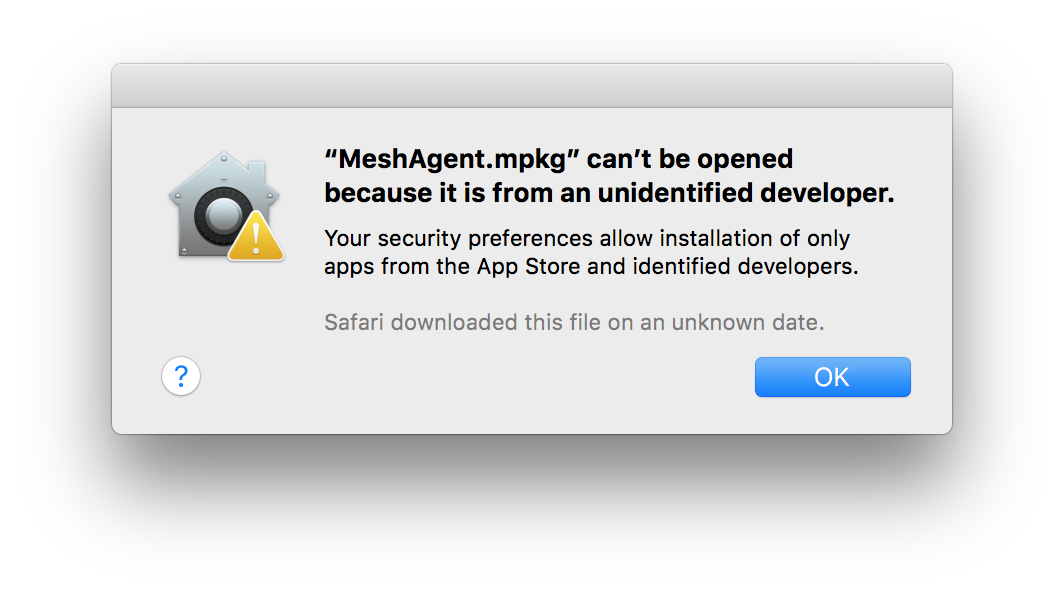
- Run the downloaded MeshAgent.mpkg installer. You should get a security warning that the file was blocked.
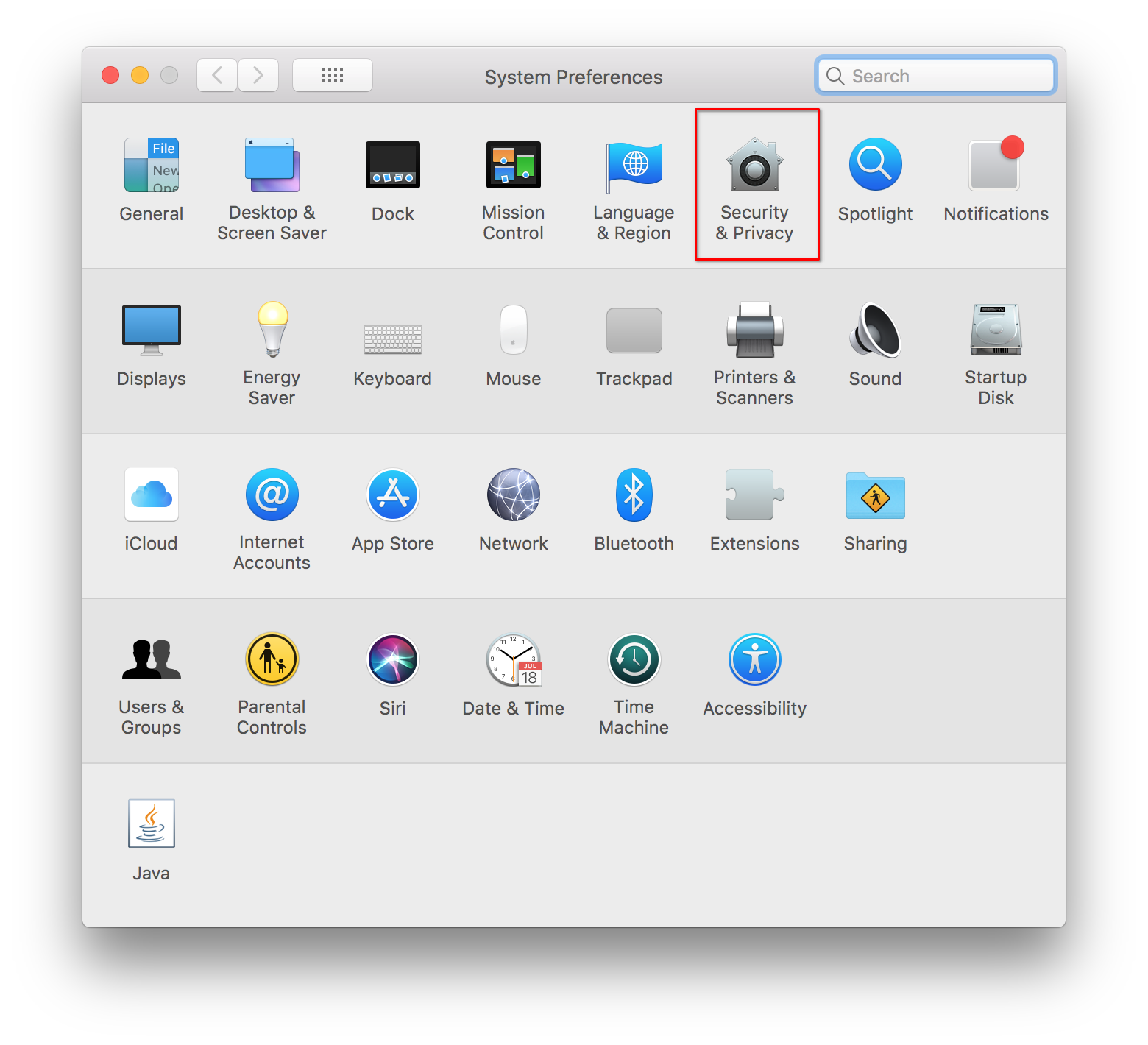
- Open System Preferences and navigate to the Security & Privacy section.
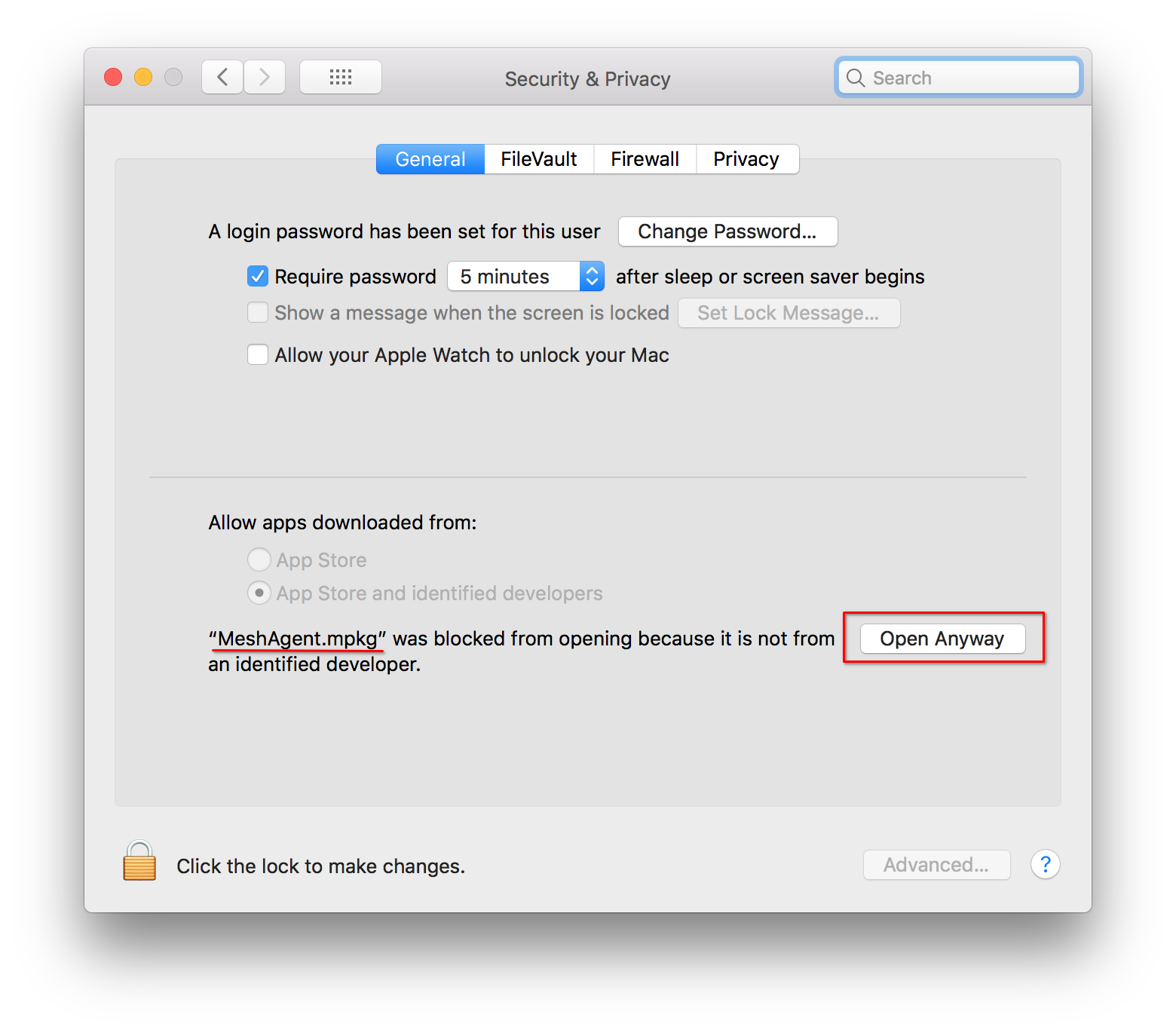
- On the bottom of the Security & Privacy section, select Open Anyway on the blocked installer. This will only show if the MeshAgent installer package was the last run blocked application.
- Click Open on the confirmation prompt to run the installer.
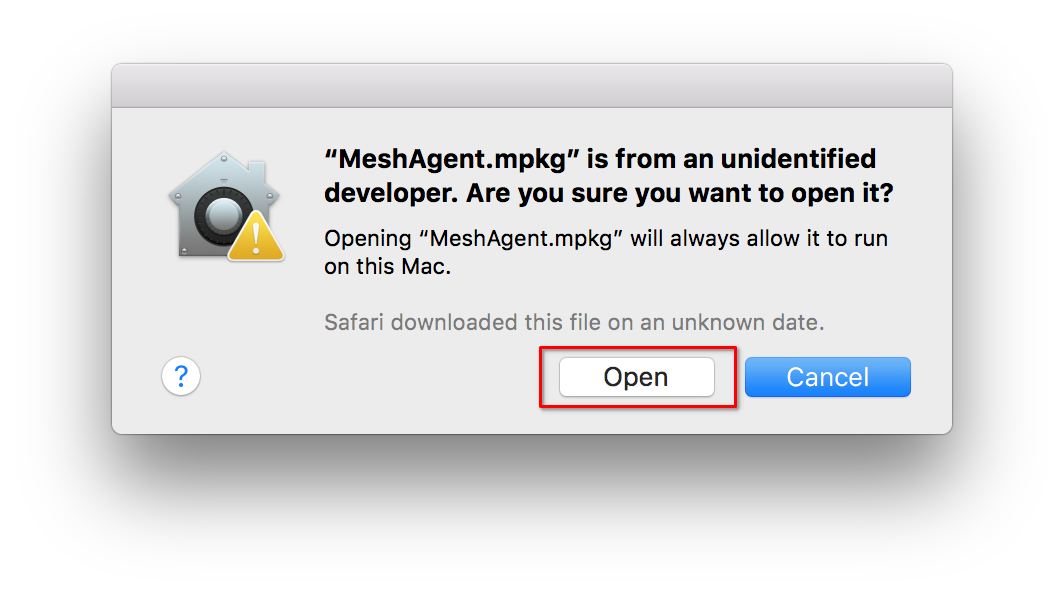
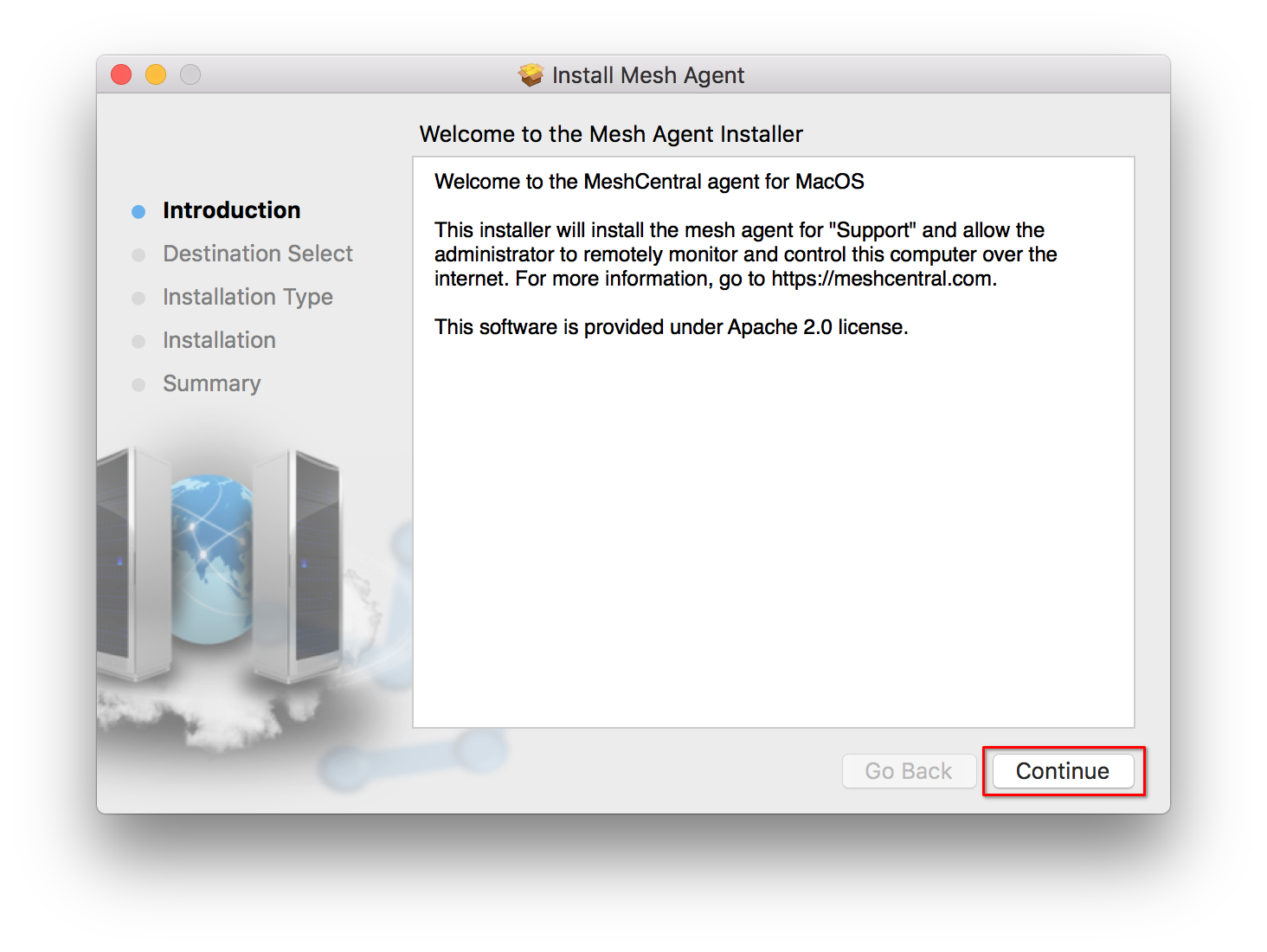
- Continue through the installer.
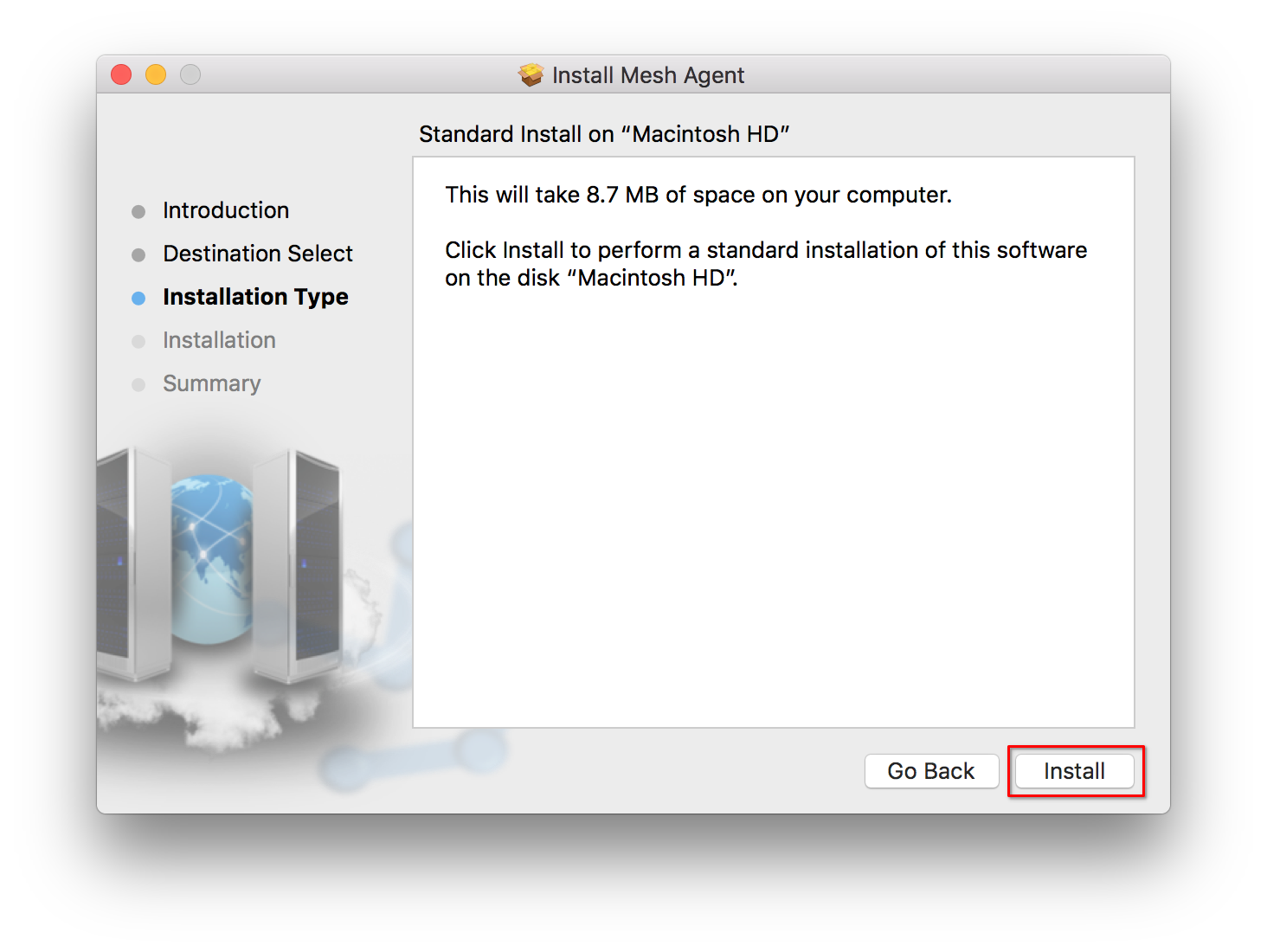
- Confirm the installation by clicking Install on the final page.
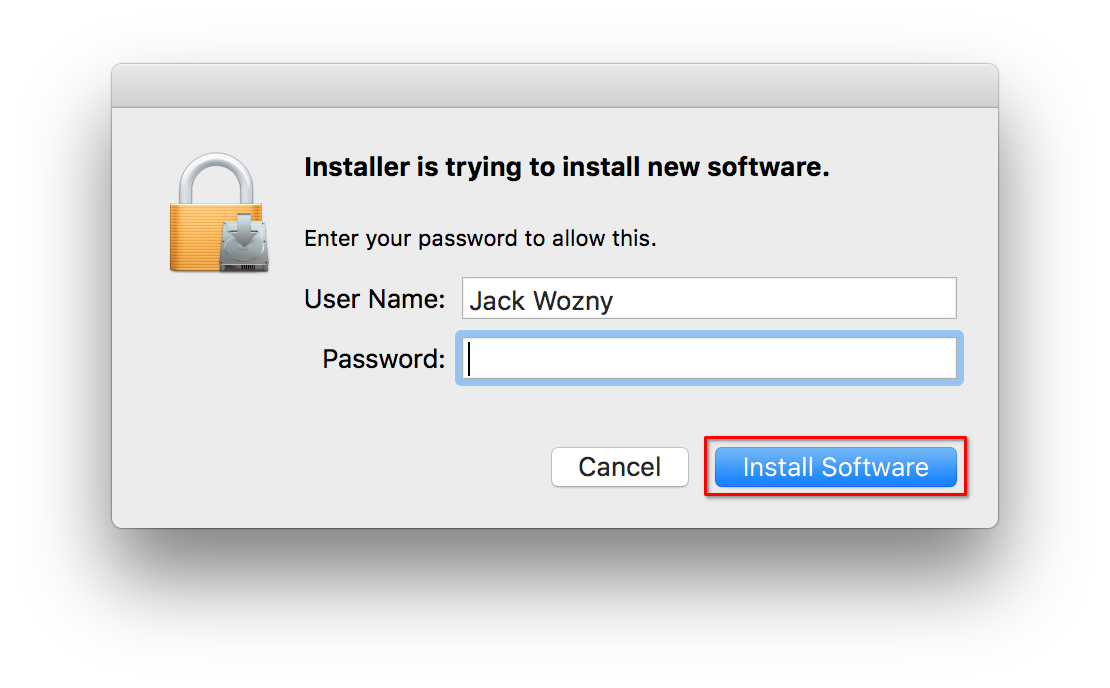
- Enter your user password on the credential prompt to allow the installation to perform a system level installation of the agent.
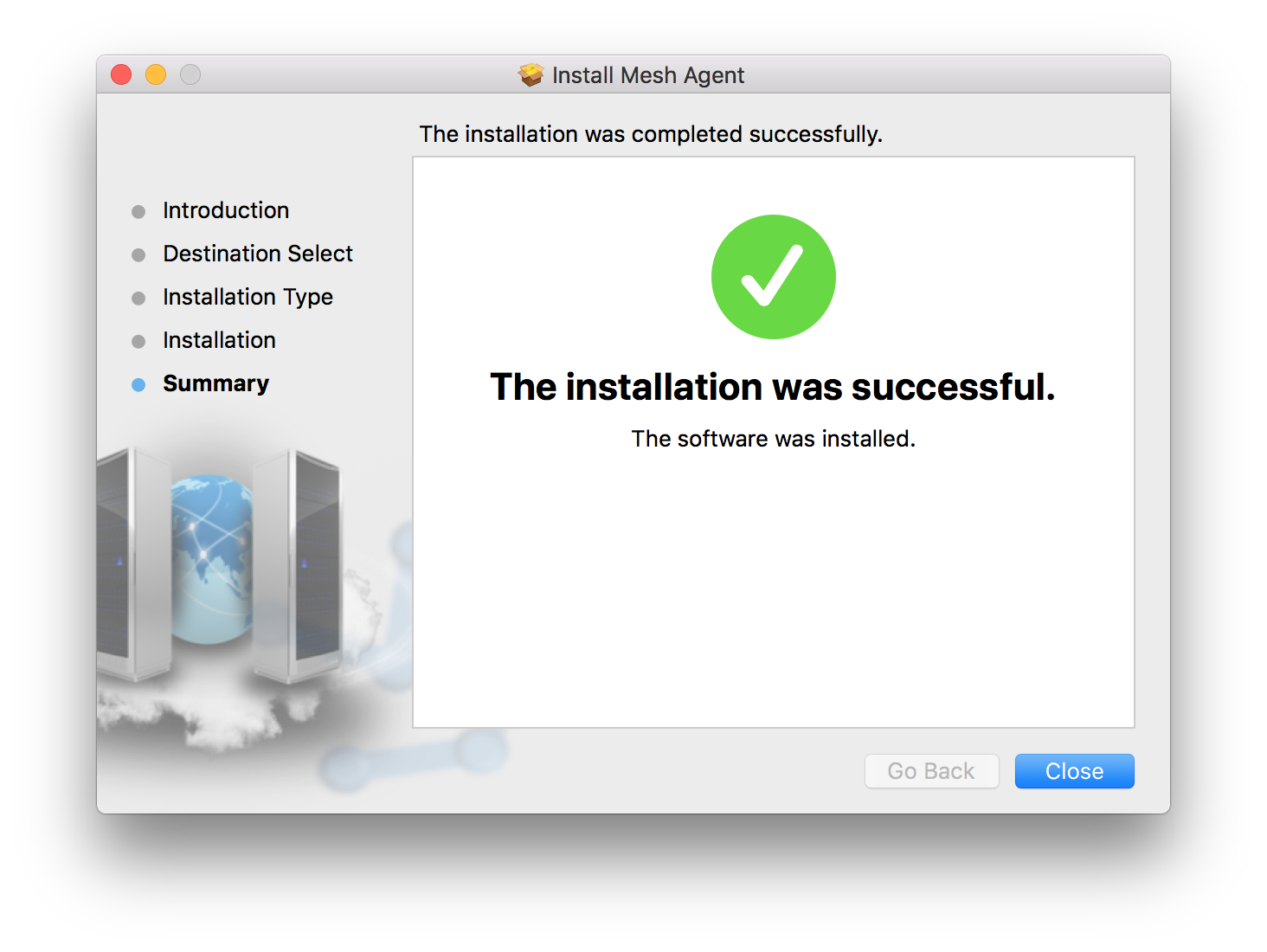
- Once the installation is complete, you can close the installer.