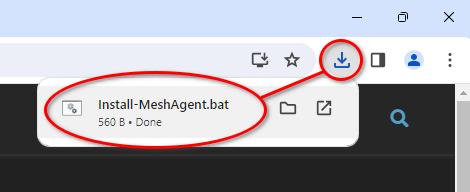
This page will download a script to allow me access to your computer if you’ve requested assistance.
If you’re here without my explicit direction to be here, please do not run the downloaded script.
If the install script fails to run, download the direct agent installer here: MeshAgent64
Installation
- Run the downloaded Install-MeshAgent.bat script.
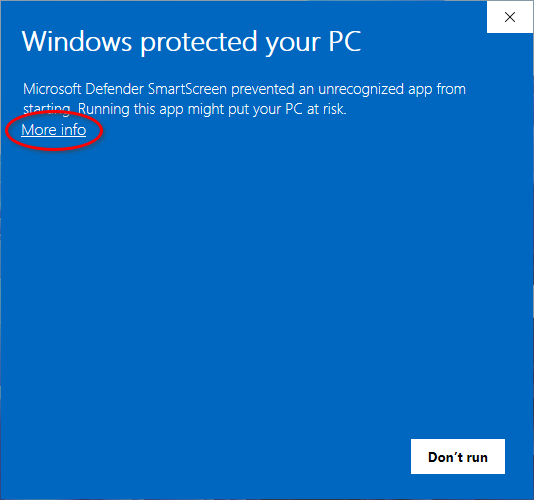
- Windows Defender may flag the script as malicious or unrecognized, click More info.
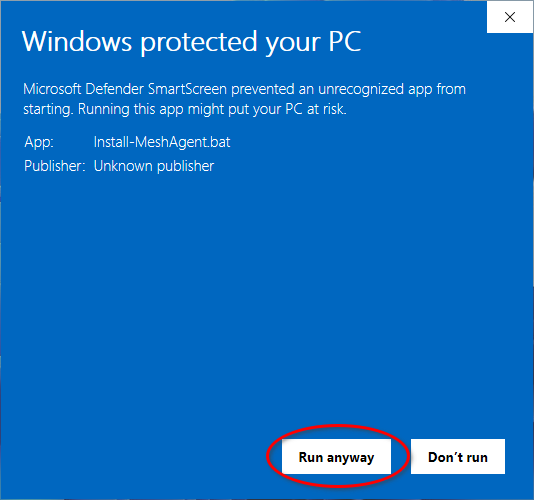
- Confirm you trust the script by clicking Run anyway.
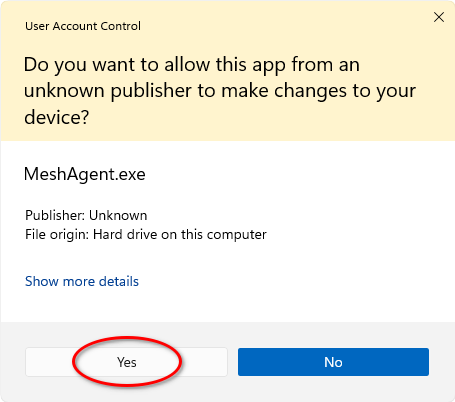
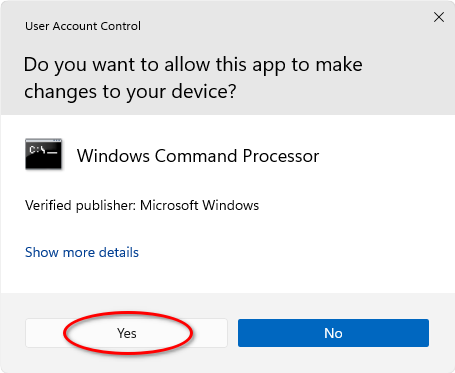
- A User Account Control prompt may show, select Yes to confirm running the installation script.
To remove the remote access, please follow the agent removal instructions below.
Removal
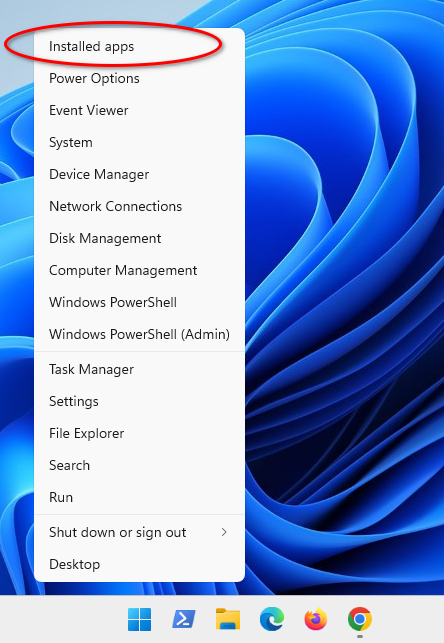
- To uninstall the installed agent, open the Installed apps console in Windows Settings. This can be done by right clicking the Windows “Start” icon and selecting Installed apps.
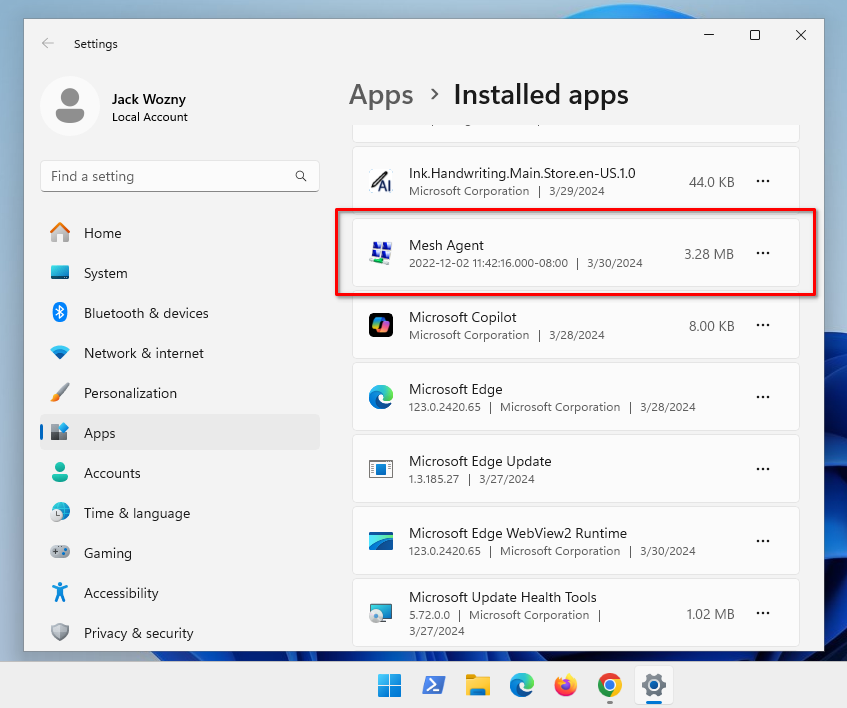
- Find Mesh Agent in the list.
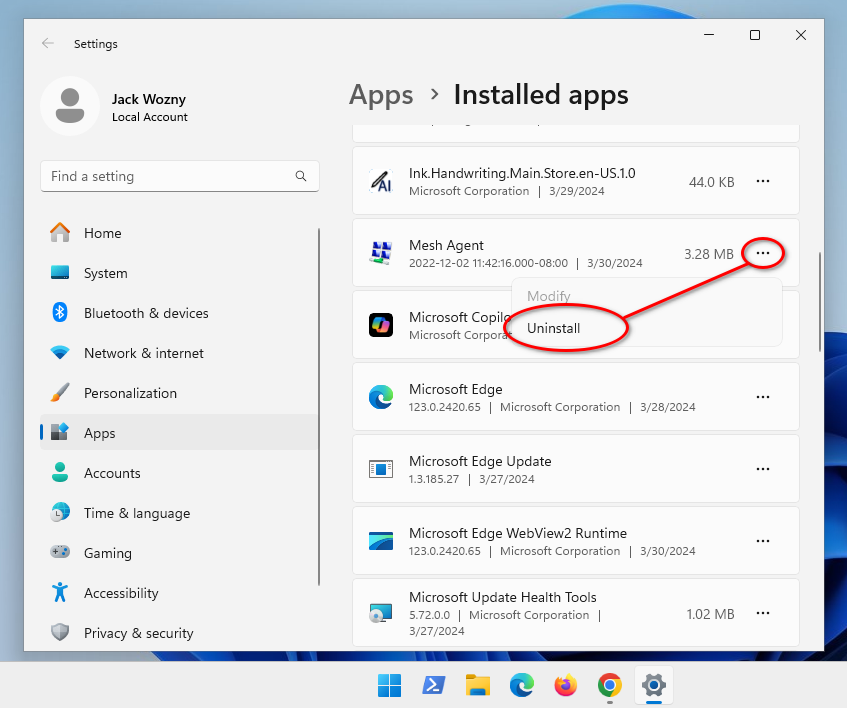
- Click the ellipsis (three dots) right of the Mesh Agent item and select Uninstall.
- Confirm the uninstallation by clicking Uninstall again.
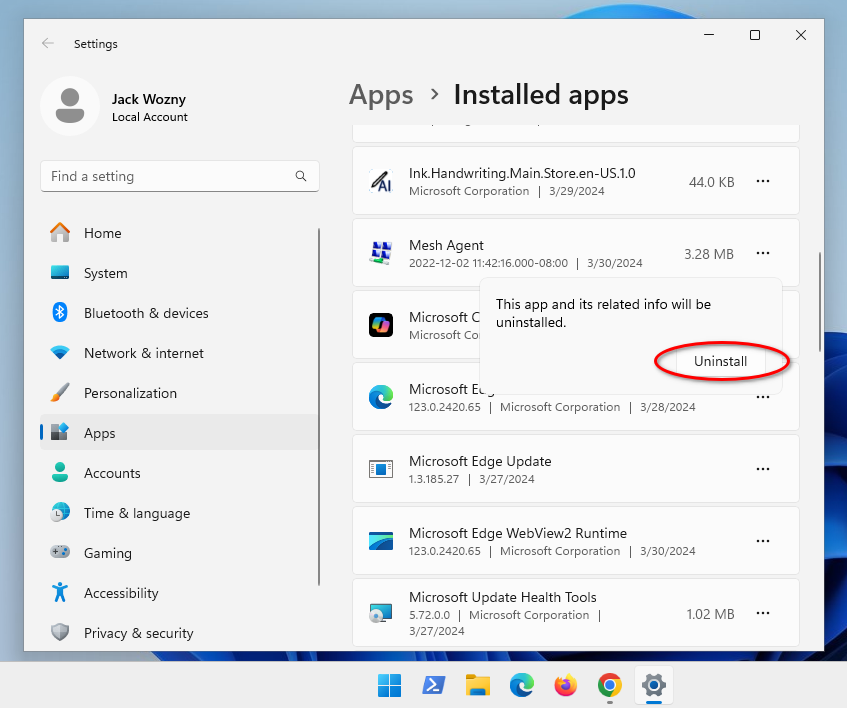
- A User Account Control prompt may show, select Yes to confirm running the uninstallation.